
mobil:parts:electronics:battery
Table of Contents
Battery Box - Inverter
part type:other
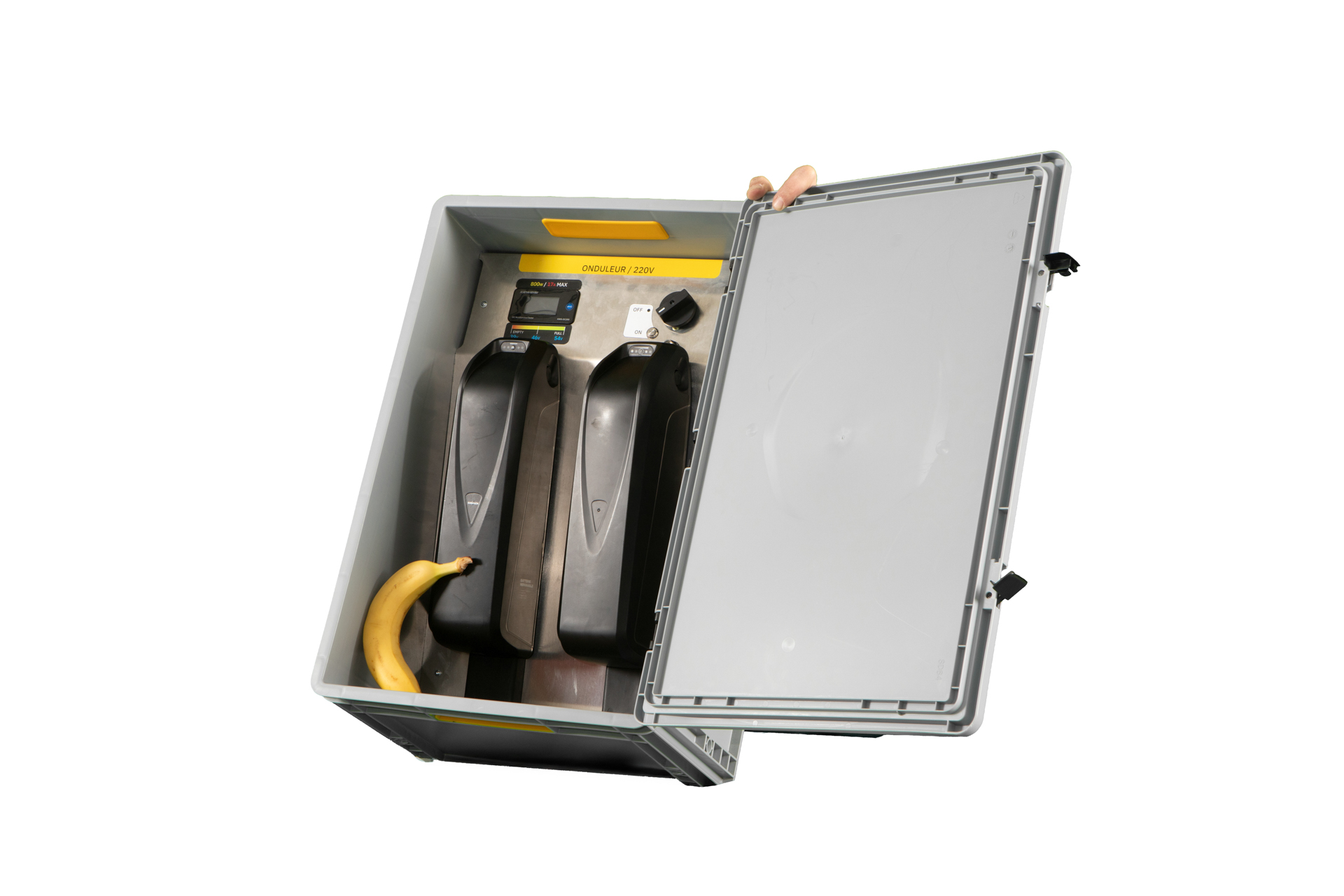
🧩 General Description
Short description: what this part does and where it’s used.
- Category: part:type:other
- Material: Plastic, Aluminium, electronics
- Dimensions: 40x60x28cm
- Weight:
- Manufacturing: (Aluminium cutting & drilling, electrical assembly & wiring)
- Status: in_stock / prototype / obsolete
🔧 Technical Details
| Parameter | Spec |
|---|---|
| Length | … |
| Width | … |
| Height | … |
| Diameter | … |
| Weight | … |
| Material | … |
| Fastening | (pin / screw / elastic / …) |
| Compatible with | ... |
Battery Box - Inverter
Purpose :
- The battery box provides 220V power to devices and tools using batteries.
How to use :
- Open the box
- Insert one or two batteries on their dedicated rail
- Select ON with the large dial, then press the small ON button
- Plug your device/tool into the 220V outlet on the outside of the box
- If a single inserted battery runs low during use, insert another battery on the second rail and remove the first one
- When finished, select OFF with the large dial
Don't ❌
- - Never store discharged batteries — ideally store them at half charge
Do ✅
- - Always select OFF after use, otherwise the batteries will drain
- - Circuit breaker :
- If an overpowered device is connected (+800W), the circuit breaker will trip :
- 1. Select OFF on the large dial
- 2. Unplug the device from the 220V outlet
- 3. Press the circuit breaker button to reset it
- 4. Select ON with the large dial, then press the small ON button
🧱 Used In
🧰 Assembly & Maintenance
- Tools: …
- People: …
- Time: …
- Safety: …
- Cleaning / Storage: …
📷 Documentation
🧍 Designed By
mobil/parts/electronics/battery.txt · Last modified: by yannick